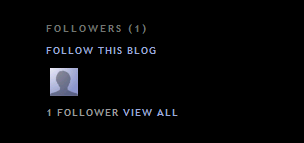
- Click the FOLLOW THIS BLOG link under the 'Followers' widget.
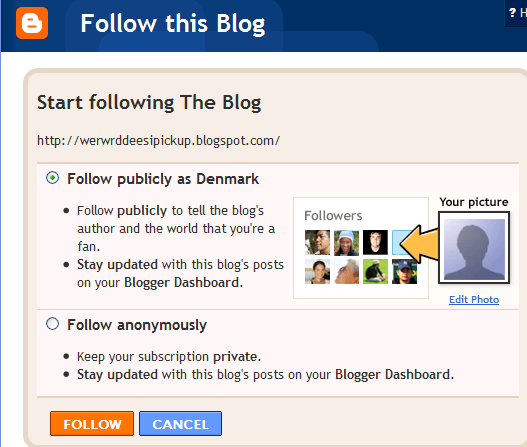
- You'll then see a pop-up window with the options to either follow publicly or anonymously.
Showing posts with label read. Show all posts
Showing posts with label read. Show all posts
Thursday, August 19, 2010
Follow other blogs
With the Blogger Following feature you can keep track of the blogs you follow via your Reading List on the Blogger dashboard. There are several ways to become a follower of a blog. One of the easiest ways is to visit a blog that has added the 'Following' widget, ad then follow these steps:


Friday, August 13, 2010
Creating 'After the jump' summaries
After the Jump is a feature which lets you create expandable post summaries in your blog posts, so longer posts appear as an intro with a link to Read More
Creating jump breaks in your blog posts can be easily done right from the post editor, without the need for any HTML changes. First, decide where in the post you want to create the jump break, and place your cursor in that position:

Once your mouse cursor is placed at the jump point, simply click the Insert Jump Break toolbar icon:

Clicking the icon will insert a grey bar at the cursor point, illustrating where in the post your break will appear. The bar can be dragged though, so you can always re-position it after insertion.
If you don't use the new post editor, you can still insert a jump break in Edit HTML mode by adding
Creating jump breaks in your blog posts can be easily done right from the post editor, without the need for any HTML changes. First, decide where in the post you want to create the jump break, and place your cursor in that position:
Once your mouse cursor is placed at the jump point, simply click the Insert Jump Break toolbar icon:
Clicking the icon will insert a grey bar at the cursor point, illustrating where in the post your break will appear. The bar can be dragged though, so you can always re-position it after insertion.
If you don't use the new post editor, you can still insert a jump break in Edit HTML mode by adding
Subscribe to:
Posts (Atom)